
 ChatGPT
 Claude
 Perplexity
 Google AI
 Grok
Grok
Author

Working from home has become a common part of modern professional life. While it offers flexibility and convenience, many people quickly discover that their homes were not designed as full-time workspaces. Dining tables, sofas, and beds often replace proper desks and chairs, leading to long hours spent in uncomfortable positions.
Over time, these habits can lead to stiffness, fatigue, and persistent discomfort in the back, neck, and shoulders. The good news is that a few practical adjustments can significantly reduce strain and support healthier work habits. By creating a better workspace and following simple posture guidelines, it is possible to prevent many common musculoskeletal problems associated with remote work.
This guide explains effective strategies for work-from-home neck pain prevention, improving posture, and creating a supportive workstation at home.
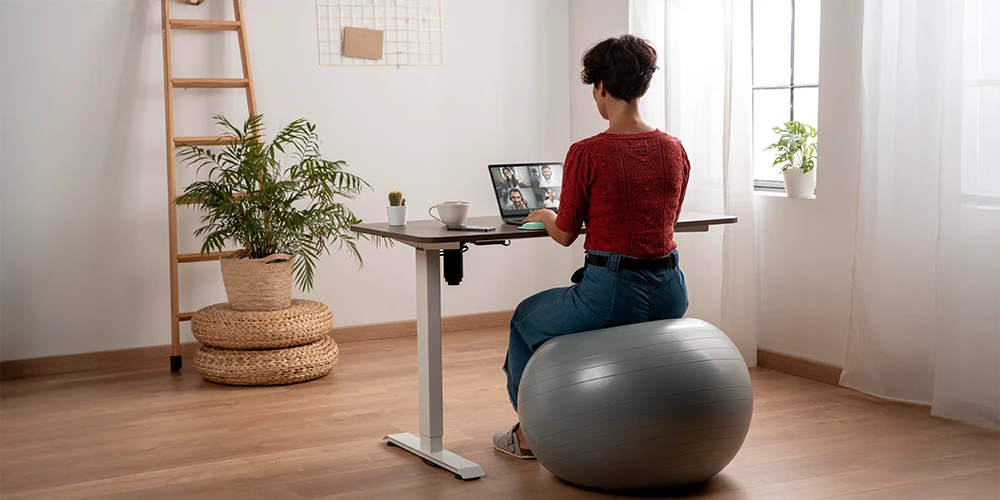
Many people unknowingly adopt poor working positions at home. Unlike office environments that often provide structured workstations, home workspaces are frequently improvised. Sitting on soft furniture, working from a laptop placed on the lap, or leaning forward toward the screen can all increase pressure on the spine and surrounding muscles.
These positions force the body to work harder to maintain balance. Over time, muscles in the neck, shoulders, and back become overworked, leading to fatigue and discomfort.
Understanding how posture and workstation setup influence the body is the first step toward preventing these problems.
One of the most common challenges for remote workers is learning how to sit while working on a laptop. Because laptops combine both screen and keyboard in one device, they often encourage awkward posture.
To reduce strain:
Ideally, the laptop screen should be positioned at eye level so the neck remains in a neutral position. When the screen is too low, people tend to lean forward, which increases pressure on the neck and upper back.
Using an external keyboard and mouse can make the laptop work far more comfortably.
Good lighting reduces the need to lean closer to the screen and helps maintain a relaxed posture.
These adjustments together create a functional workspace that supports the body rather than forcing it into strained positions.
Good posture should feel natural rather than rigid. Frequent small adjustments throughout the day help prevent muscle fatigue.
Neck pain is one of the most common complaints among remote workers. Effective work-from-home neck pain prevention involves reducing forward head posture and maintaining proper screen positioning.
Helpful strategies include:
For many remote workers, finding a practical work-from-home back pain solution starts with reducing prolonged sitting.
Try incorporating these habits:
Preventing back, neck, and shoulder pain often depends on consistent habits rather than large changes.
Some simple daily practices include:
Why does my neck hurt after working on a laptop for hours?
Laptop screens are usually positioned lower than eye level, causing people to bend their necks downward. This increases strain on neck muscles and can lead to discomfort.
Is working from the couch bad for posture?
Yes. Sofas often lack proper back support and encourage slouching, which can increase pressure on the spine.
How often should I take breaks while working from home?
Experts generally recommend standing or stretching every 30 to 45 minutes to reduce muscle fatigue and improve circulation.
Can a laptop stand really help with posture?
Yes. Raising the laptop screen to eye level helps keep the neck aligned with the spine, reducing forward head posture.
Do I need an expensive ergonomic chair for home office work?
Not necessarily. Even a regular chair can work well if it supports the lower back and allows feet to rest flat on the floor.
Can stretching during the workday reduce pain?
Gentle stretching of the neck, shoulders, and back can relieve muscle tension and improve flexibility during long work sessions.

 Virtual Tour
 Book an Appointment
 What's App